The NexSlot platform brings your calendar, clients, staff, payments, and business insights into one secure workspace. Built for owners, front-desk teams, and providers at clinics, spas, salons, and service businesses.
See what needs attention today
Monitor revenue, outstanding payments, no-shows, cancellations, returning clients, and your business health score from a customizable executive dashboard.

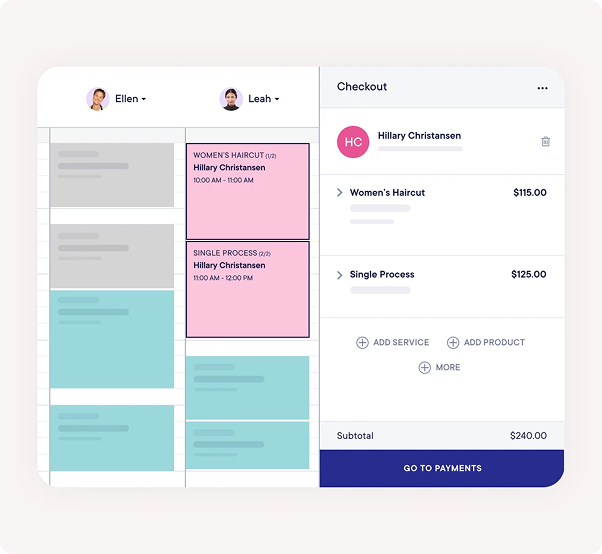
Run daily operations smoothly
Book walk-ins, manage the calendar, look up clients, collect payments, and handle waitlists without switching tools.
Focus on your schedule and clients
Providers see their own appointments, availability, time-off, and client context—without access to sensitive business settings.
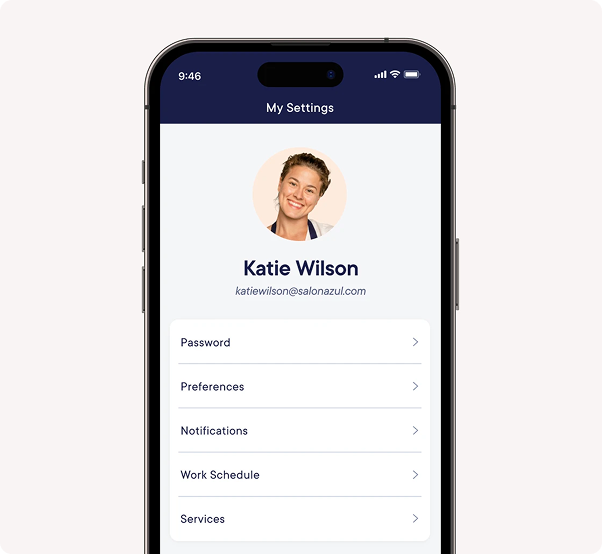
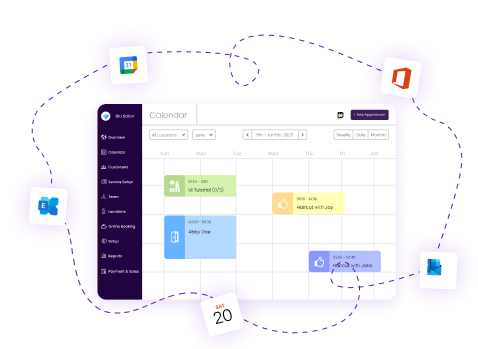
Use NexSlot on desktop, tablet, or mobile. Manage your calendar, review reports, and respond to action items wherever your business takes you.

JWT authentication, multi-tenant data isolation, and granular permissions for Owner, Admin, Manager, Staff, and Provider roles keep your business data protected.
Book a demo or contact our team. We will walk you through online booking, your calendar, staff setup, payments, and reports for your industry, then help you launch when you are ready.
Business owners and admins use the executive dashboard and reports. Front-desk staff manage the calendar and clients. Providers view their own schedules and appointment details.
Yes. Invite team members and assign roles such as Owner, Admin, Manager, Staff, or Provider. Each person sees the tools relevant to their job.
Yes. NexSlot uses strict multi-tenant isolation so your appointments, clients, and payment data are kept separate and secure.
Yes. NexSlot is a responsive web application that works in modern browsers on phones, tablets, and computers—no separate app store download required.
Manage appointments and waitlists, view client profiles, record payments, review staff performance, track revenue, configure services and availability, and respond to dashboard action items—all from one platform.
See the platform in action. We'll walk you through the dashboard, calendar, online booking, and reports for your industry.
Book a demo