From executive summaries to staff-level detail, NexSlot turns appointments and payments into decisions. Explore online booking, smart scheduling, client CRM, payments, waitlists, notifications, and role-based team access.
Book a demo
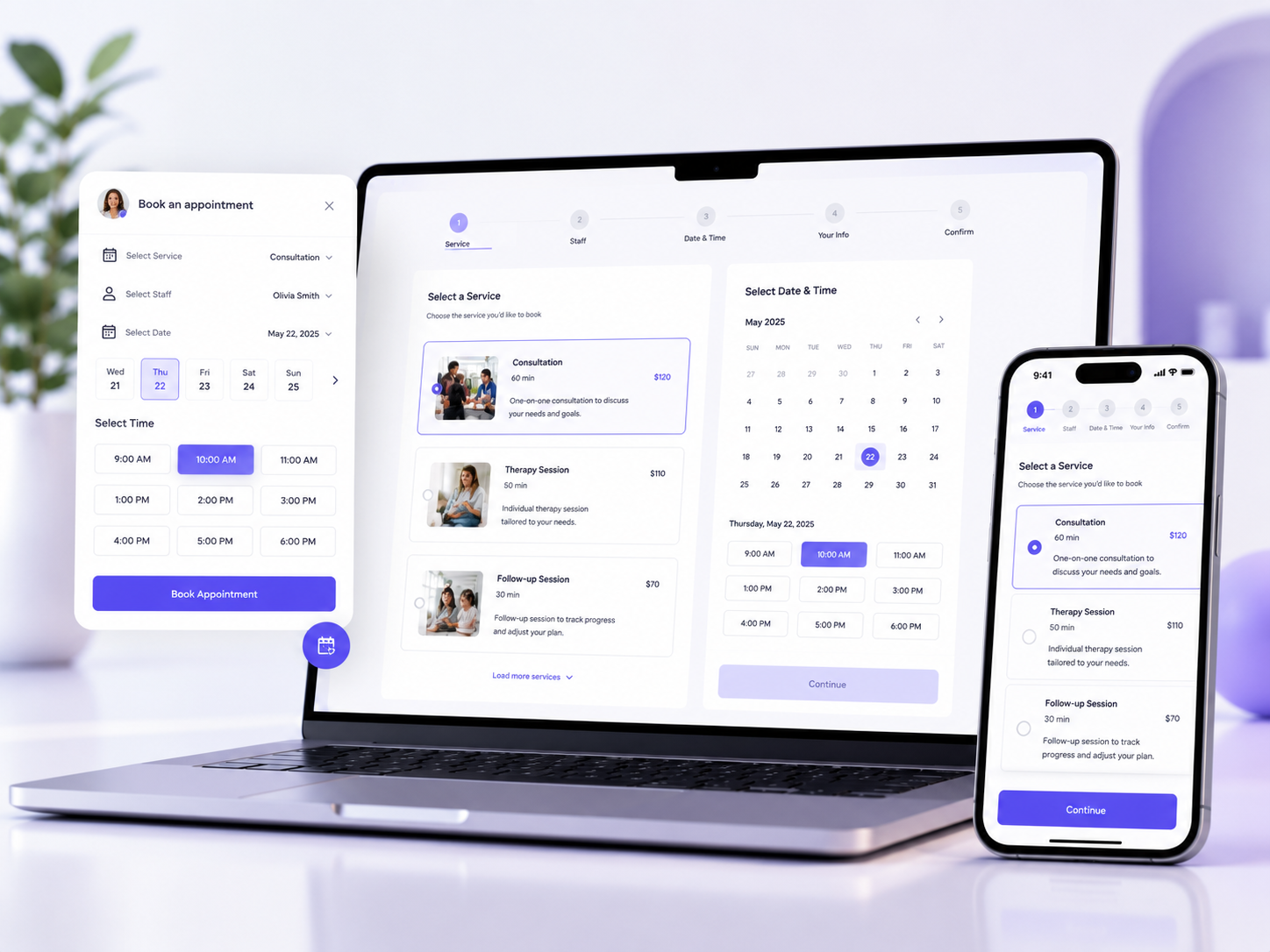
24/7 booking on your website
Let clients book via a floating Book Me widget, iframe embed, or dedicated /book page. They choose a service, provider, time, and pay online when required.
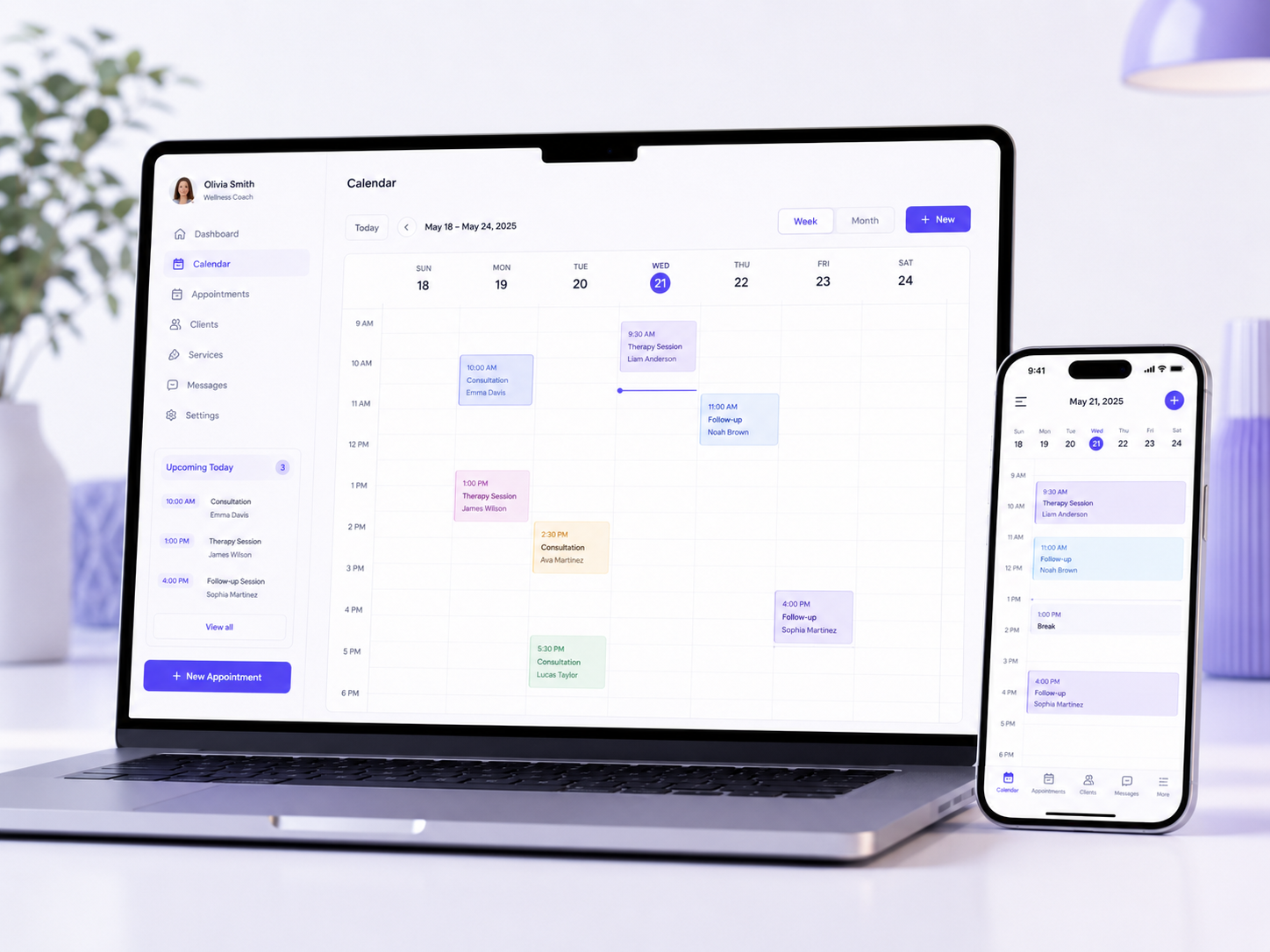
Run daily operations from one calendar
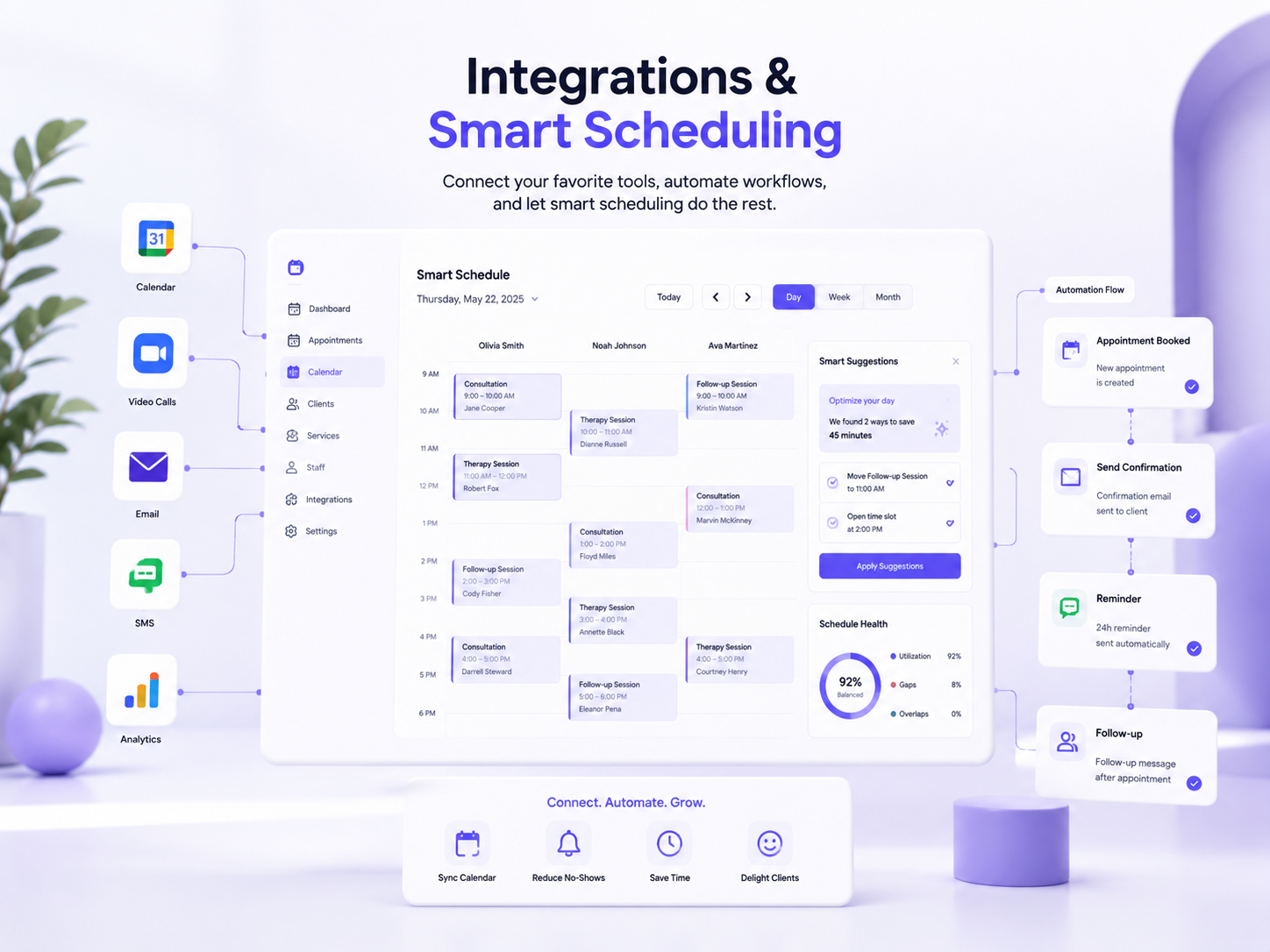
Visual day and week views, walk-in booking, rescheduling, waitlists, and full appointment lifecycle tracking.
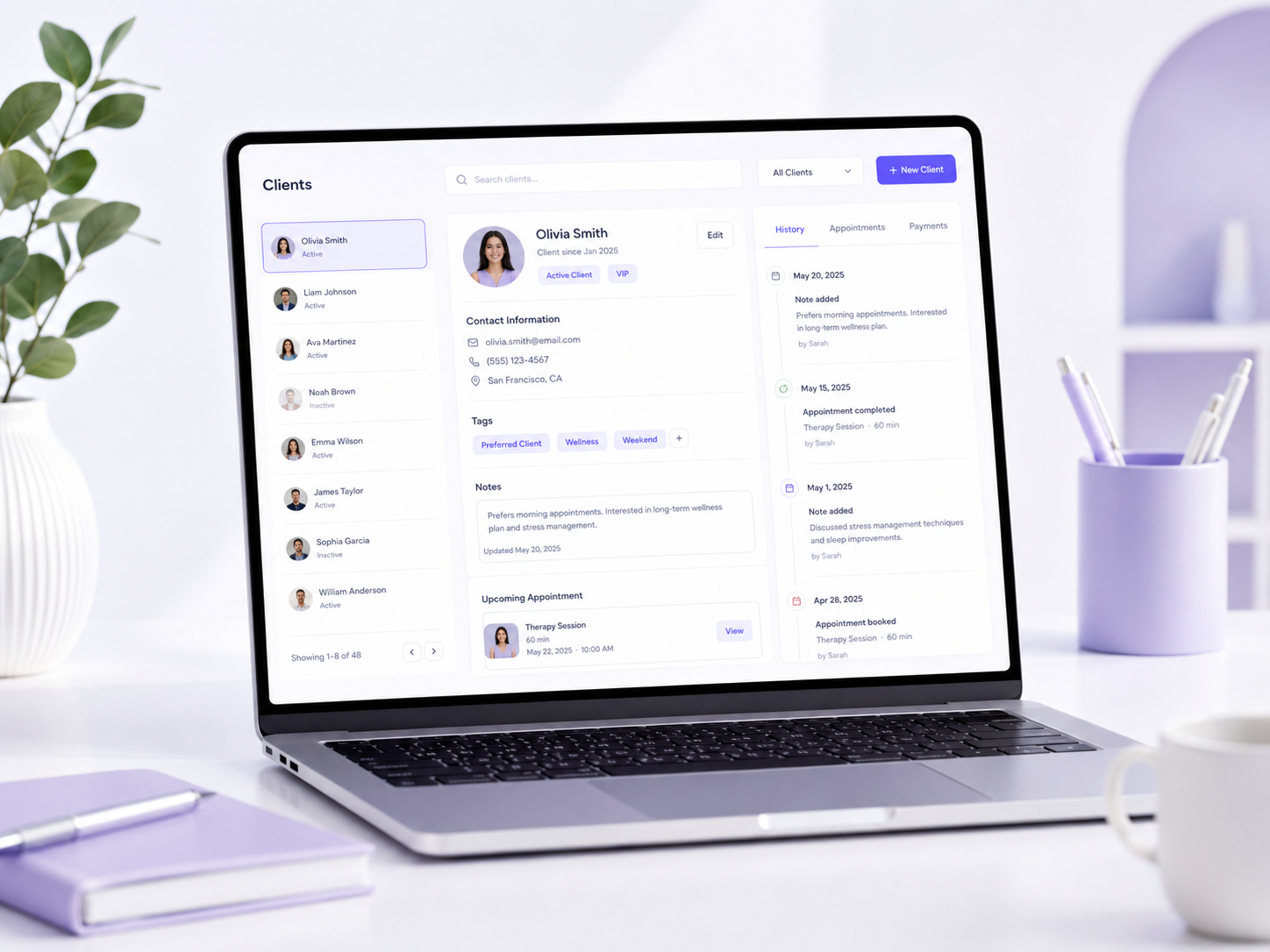
CRM-lite built for appointments
Central client profiles with visit history, notes, revenue, no-show counts, and re-engagement insights.
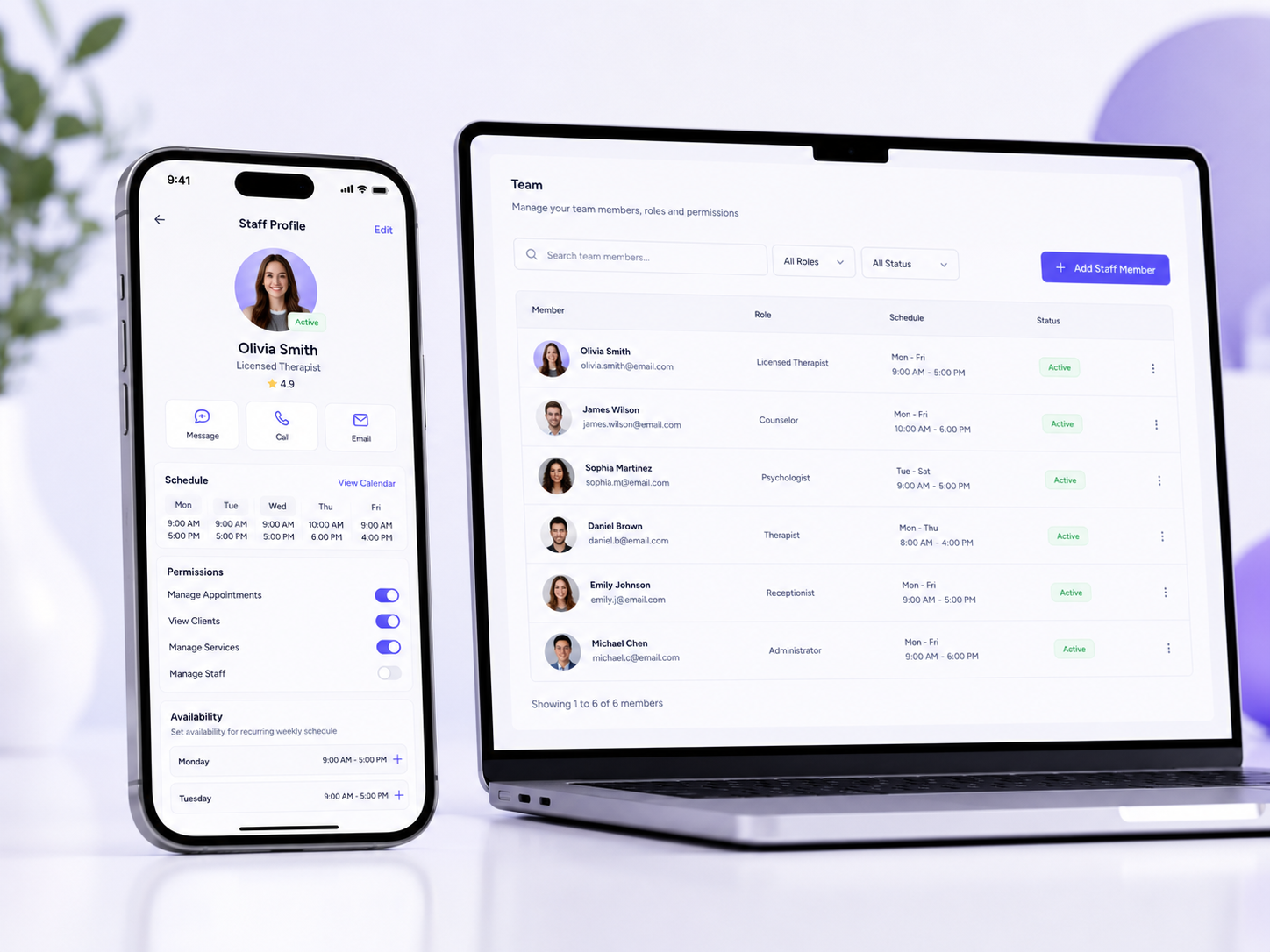
Coordinate people, services, and schedules
Provider profiles, weekly availability, service assignments, and performance metrics on the dashboard.
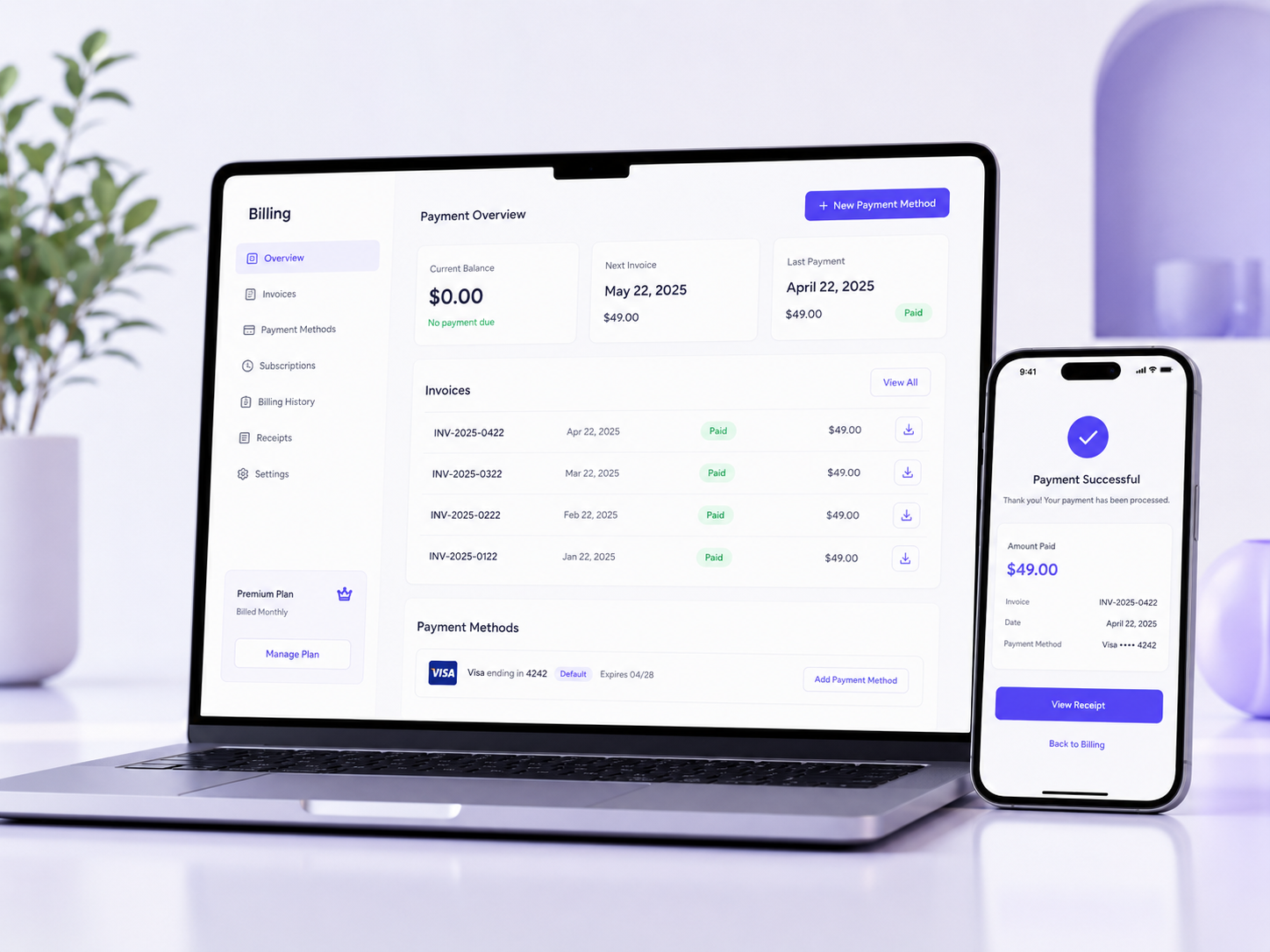
Get paid at booking time
Accept online checkout and deposits through SafePay, plus manual in-person payments, refunds, and a ledger that shows today's revenue and outstanding balances.
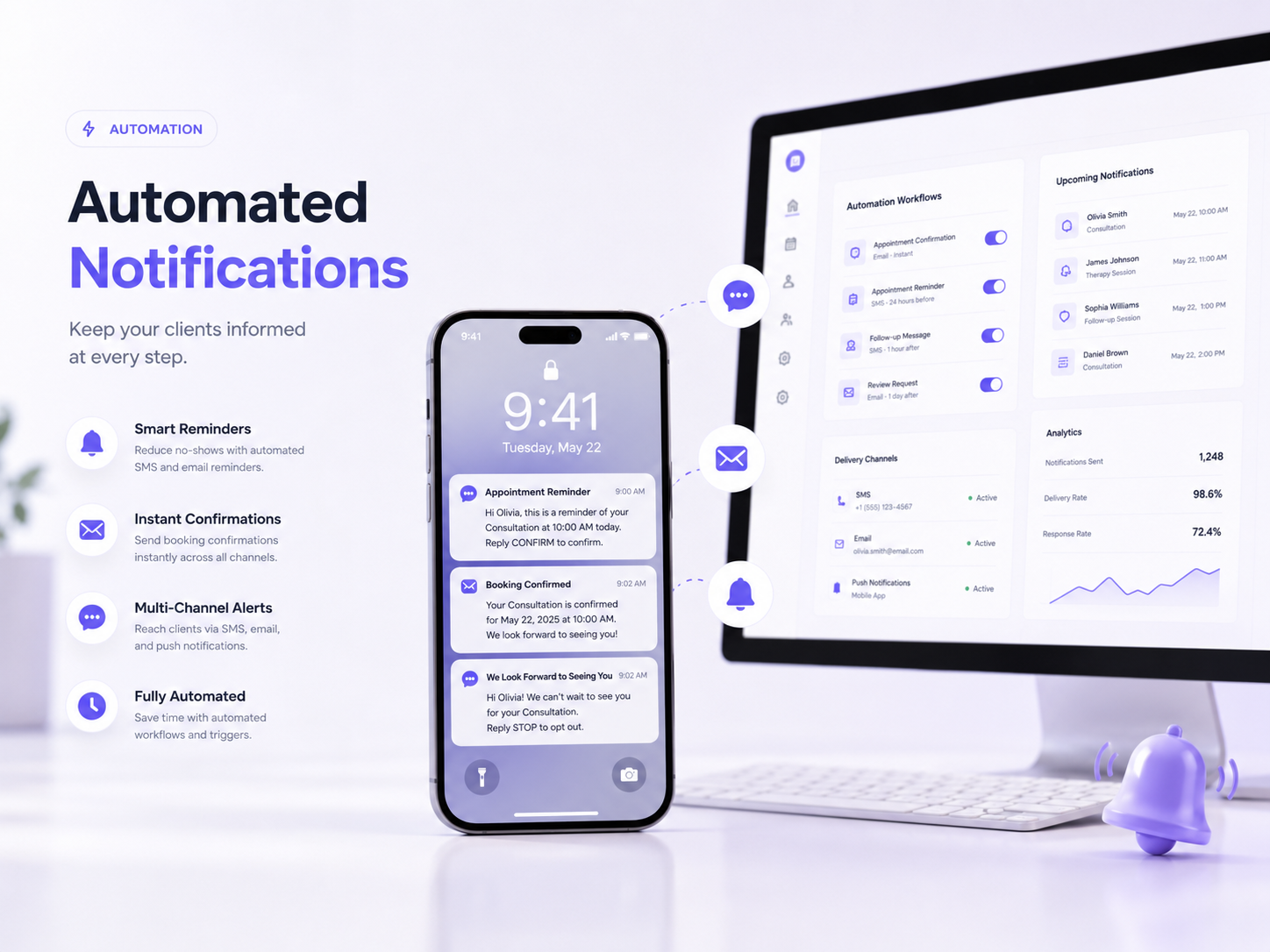
Stay connected automatically
Email confirmations, reminders, cancellations, and follow-ups reduce no-shows and front-desk workload. In-app messaging keeps client conversations in one place.
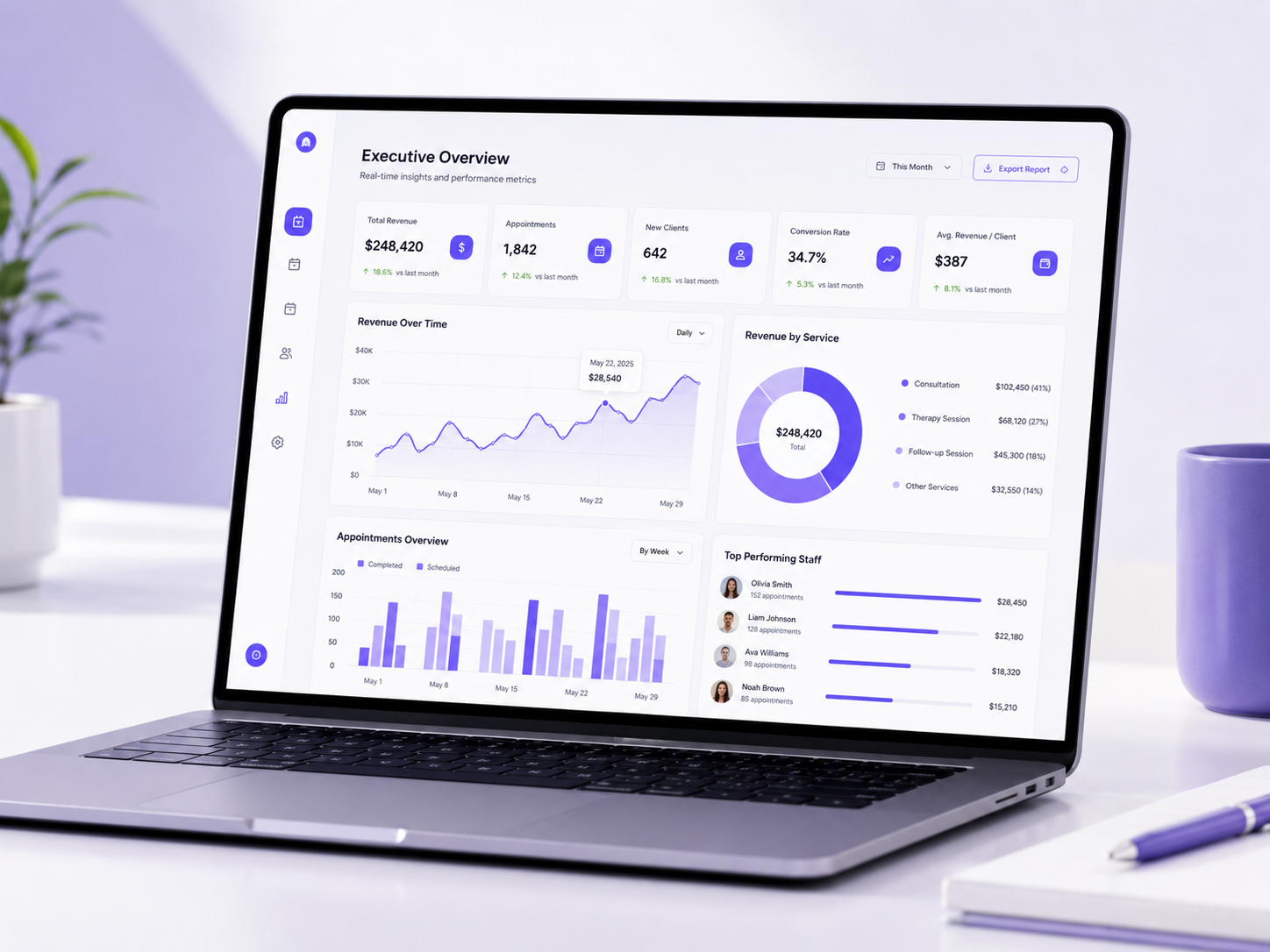
Know what to do next
Today's KPIs, action items, business health score, revenue charts, staff performance, and top services—customizable widget by widget.
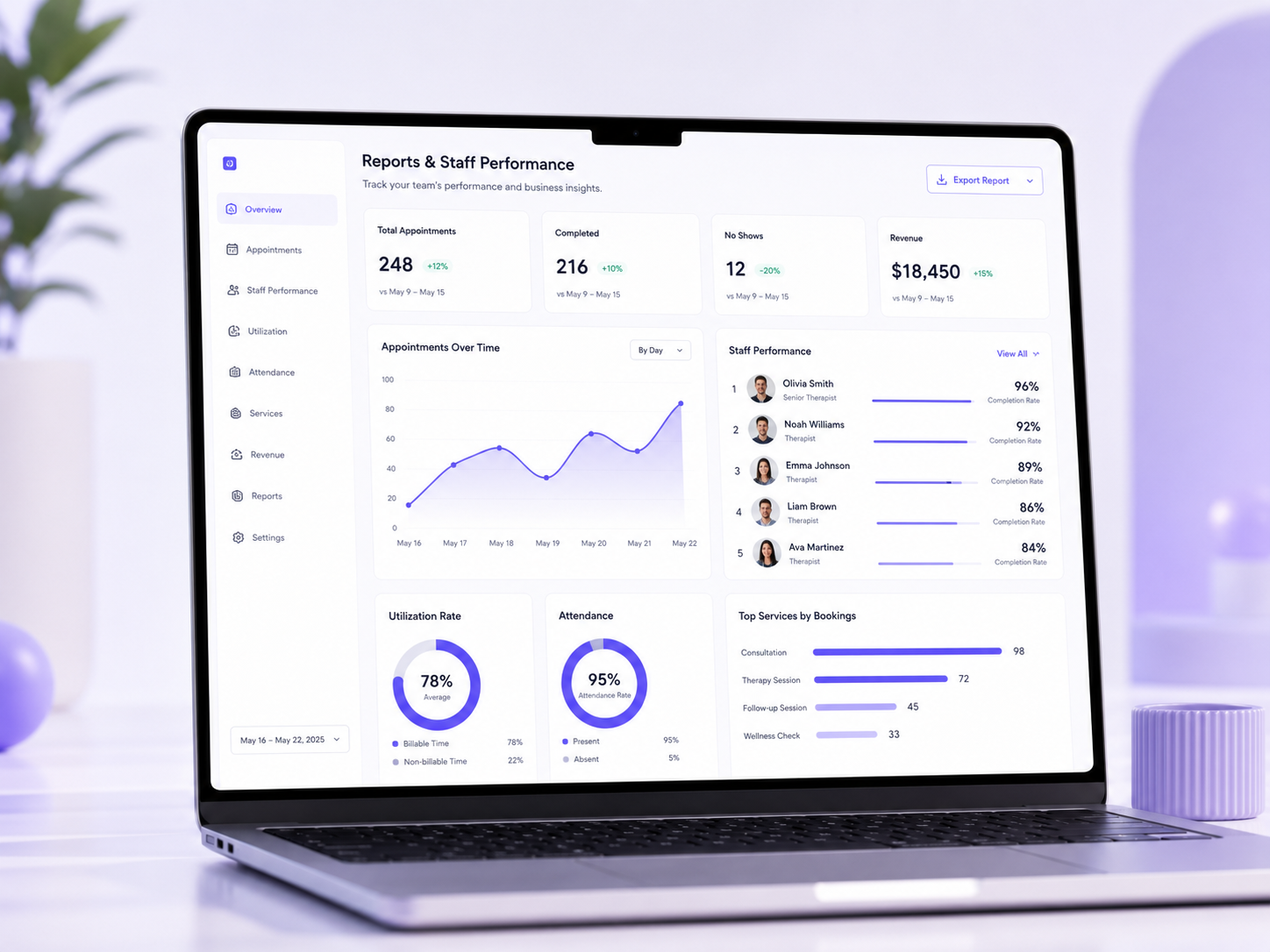
From executive summary to provider detail
Tabbed reports for performance, clients, trends, and operations—plus dedicated staff ranking and compare views.
Secure multi-role access
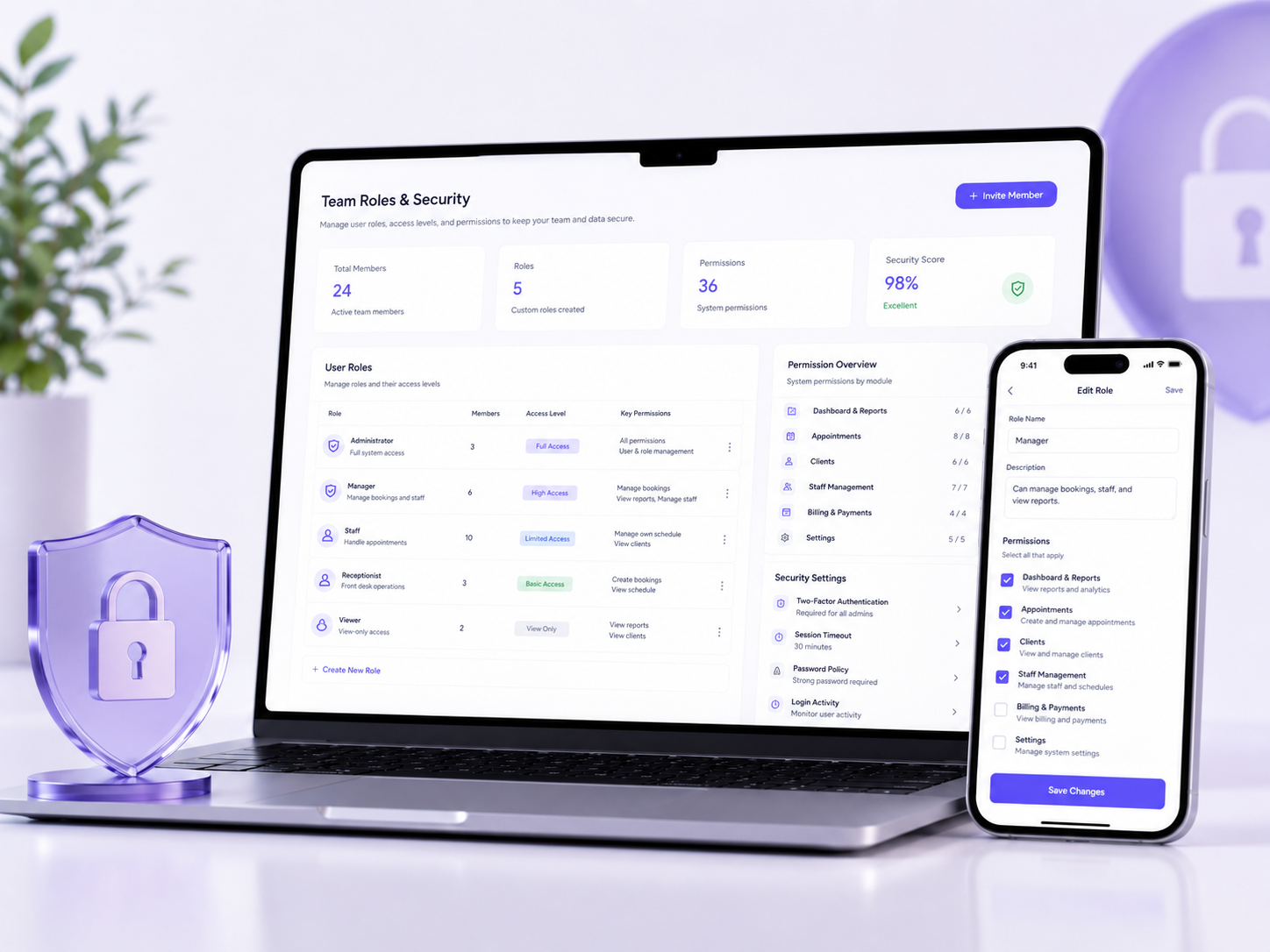
Owner, Admin, Manager, Staff, and Provider roles with custom permissions and strict tenant isolation.
Connect tools and book smarter slots
Google Calendar sync, webhooks, API access, and a slot engine that scores availability by utilization and patterns.
NexSlot is built for appointment-based service businesses including medical and wellness clinics, spas, salons, fitness studios, therapy practices, and consultants who schedule people, services, and time.
No. Add NexSlot to your existing site with a floating Book Me widget, iframe embed, or inline JavaScript widget. You can also share a dedicated booking page at /book/your-business-slug.
Yes. Invite your team with roles such as Owner, Admin, Manager, Staff, or Provider. Custom roles and granular permissions control who can access the calendar, clients, payments, reports, and settings.
Yes. NexSlot uses strict multi-tenant isolation so each business's appointments, clients, and payments are kept separate and secure.
Yes. Clients can select a preferred provider or choose "any provider" based on your settings and real-time availability.
Yes. Configure deposits, full checkout payments, and no-show fees. Online payments are processed through SafePay.
Track no-shows on the calendar and dashboard, apply configured no-show fees, and use action items and client risk insights to reduce repeat missed appointments.
Copy the embed code from NexSlot settings and paste it into your WordPress site, or use the iframe option on any page. The widget is mobile-friendly and uses Shadow DOM styling so it won't conflict with your theme.
All you need is an internet Connection and a Mobile, Laptop or a Tablet.
Book a demo